Version 1.6 · WooCommerce plugin
Let the product gallery play.
Magic Product Video adds a self-hosted clip to the WooCommerce gallery, right next to your photos. Upload a video once: the plugin turns it into MP4 and WebM with a poster frame, on your server or in the browser.
WooCommerce 9.6+ · WordPress 6.6+ · PHP 7.4+

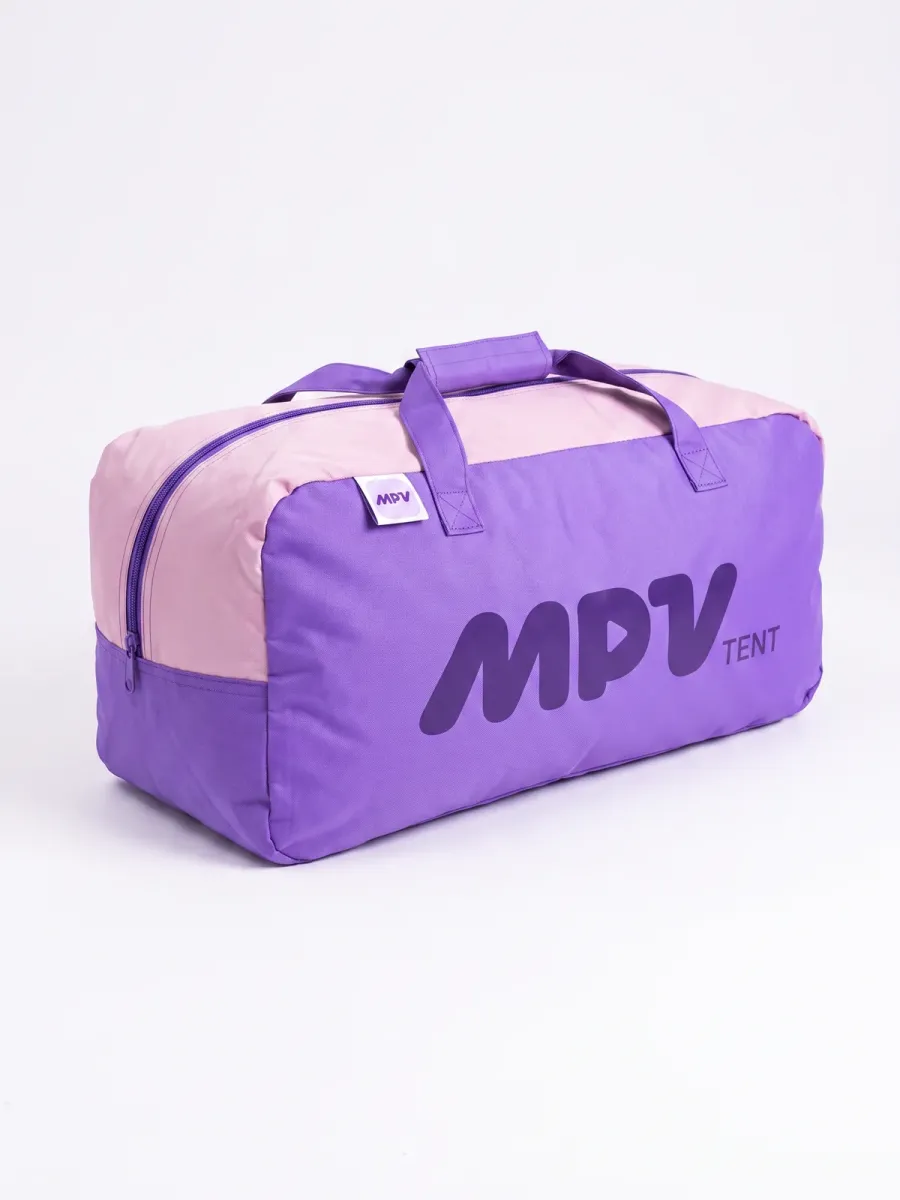
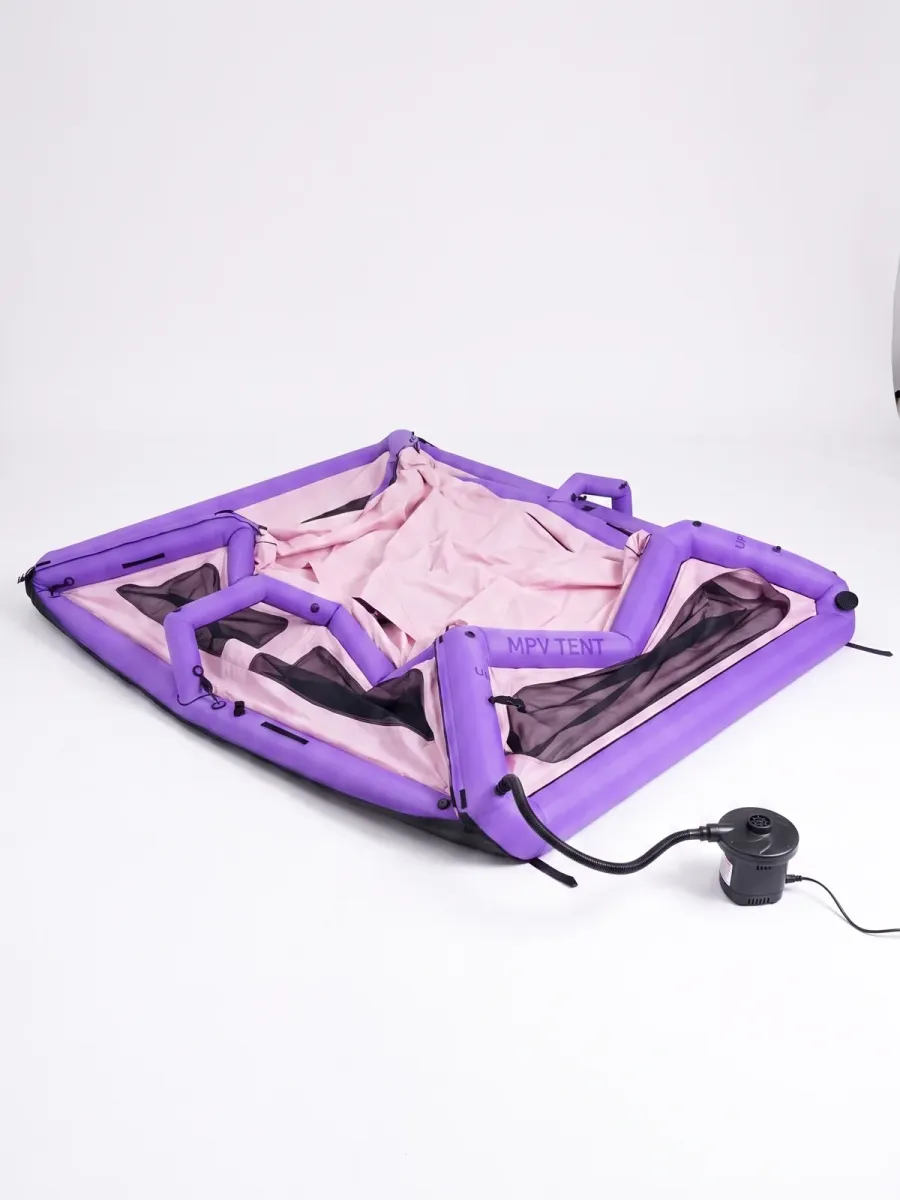 Video slide · MP4 + WebM
How it works
One upload. Three files. One more slide in the gallery.
No timeline editor and no outside video host. These are the real files from the tent clip above.
-
Upload
Pick a clip on the product page or in the video library, from a computer or a phone. MP4, MOV, AVI, MKV, HEVC or WebM.
airframe-tent.mp45.2 MB -
Convert
Choose where it happens. You can switch any time.
FFmpeg on your server works through a background queue with live progress. You can close the tab while it runs.
No FFmpeg on your hosting? The admin converts with WebAssembly in your browser and uploads the finished files to your site.
-
Get three files
A file for every browser and a poster frame you can retake from any second.
.mp4 · H.2642.9 MB .webm · VP94.6 MB poster.jpgframe 0:01 -
Show it
Attach the video to a product. It appears as a gallery slide, first or last, in FlexSlider and PhotoSwipe, and plays in your own player.
Inside wp-admin
Its own section in the dashboard, with nothing to set up.
Screenshots of the demo store's admin, version 1.6. English and Ukrainian interface included.
Every clip in one library
Upload once and see at a glance which formats are ready. The same video can go on several products, or on posts and pages you enable.
Magic PVW → Media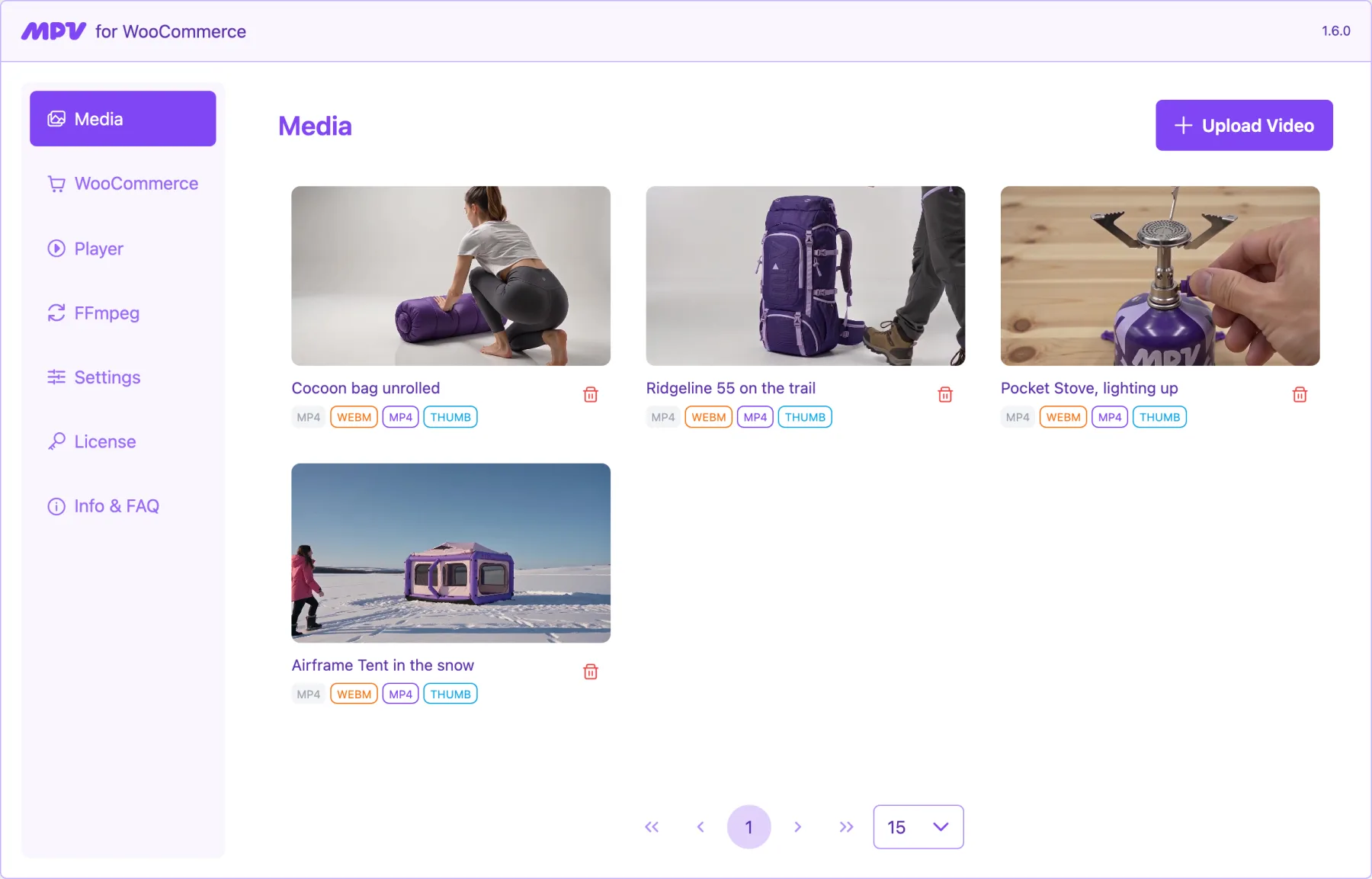
Details of each file
Preview the clip and check duration, size, bitrate, dimensions and audio. Copy the URL or download the original.
Magic PVW → Media → a video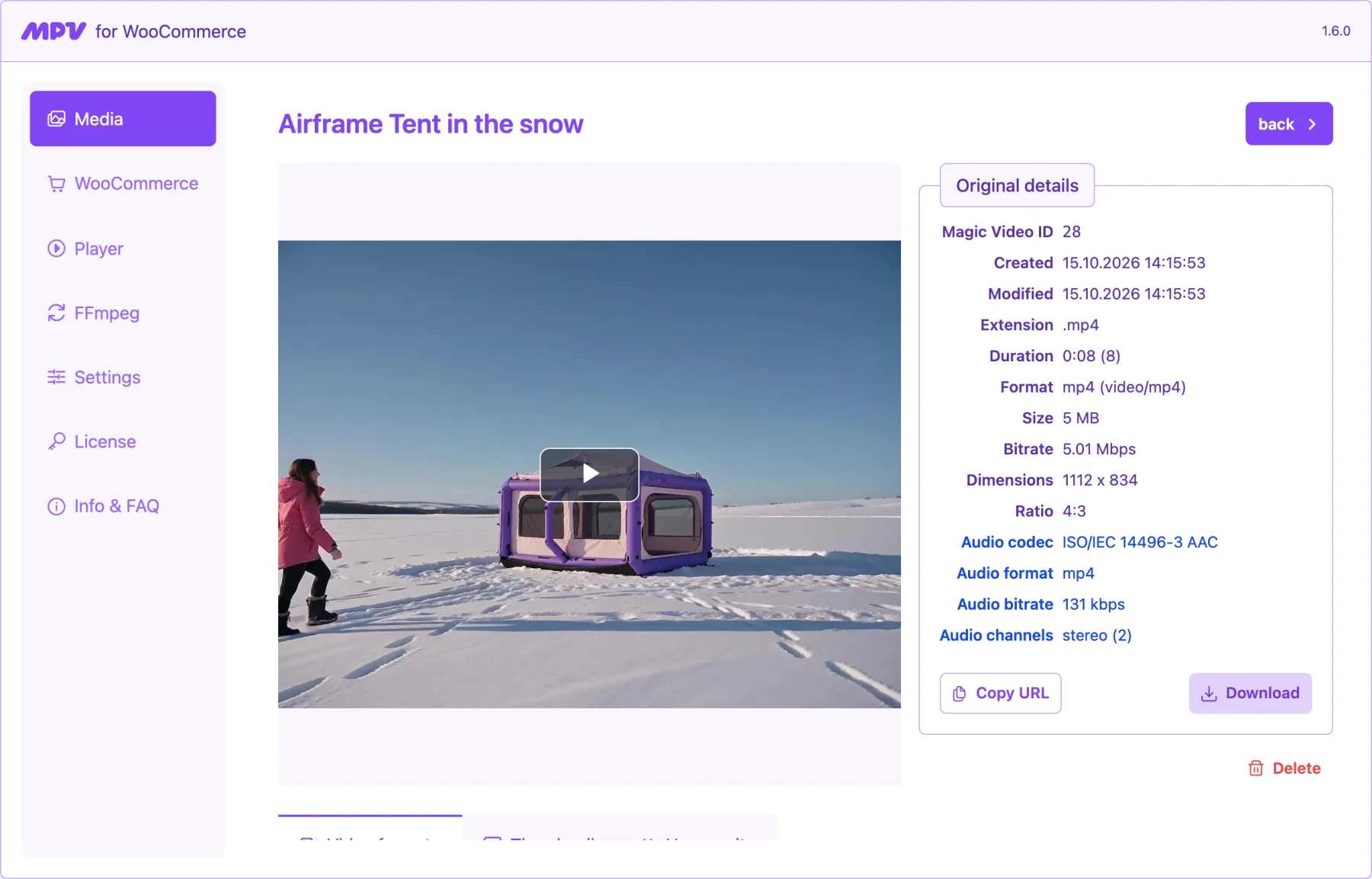
A box on the product edit screen
Pick a video from the library without leaving the product. Change or remove it later.
Products → Edit → Magic Video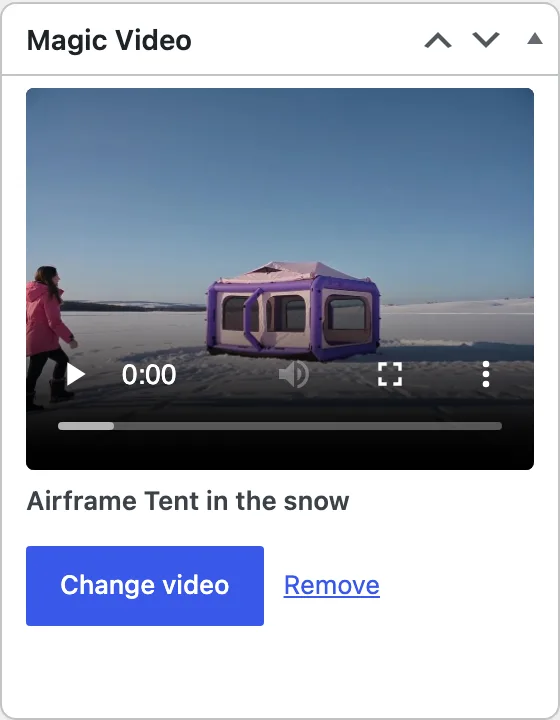
Conversion your way
Server or browser, H.264 or H.265 for MP4, VP8, VP9 or AV1 for WebM, quality and speed. Save the mix as a preset.
Magic PVW → FFmpeg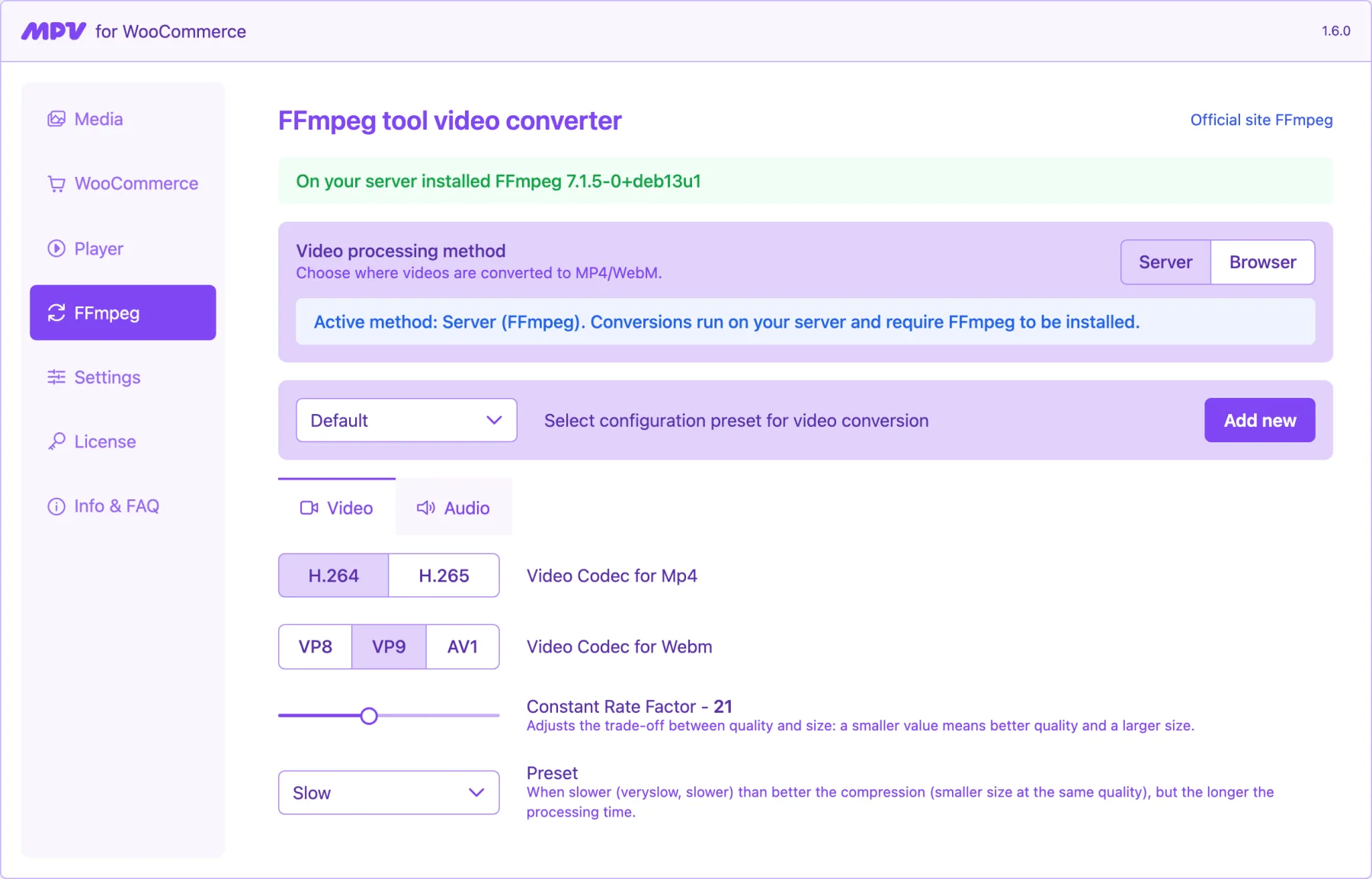
One player for the whole store
Autoplay, loop, controls, sound, fit and popup mode for the video.js player, set once.
Magic PVW → Player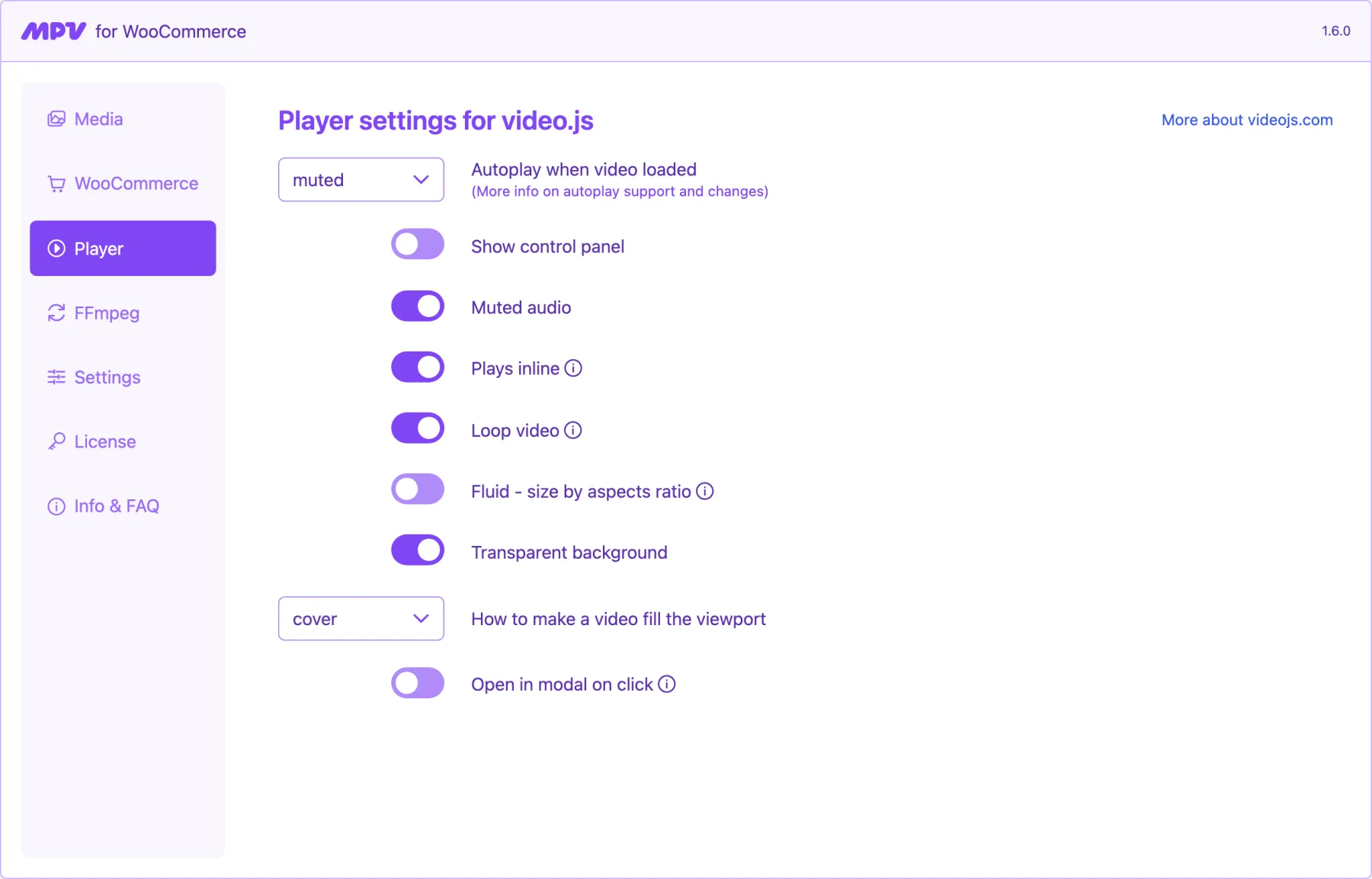
The state of your site
The overview shows how videos are converted, how many are ready and whether updates are on, with answers to common questions.
Magic PVW → Info & FAQ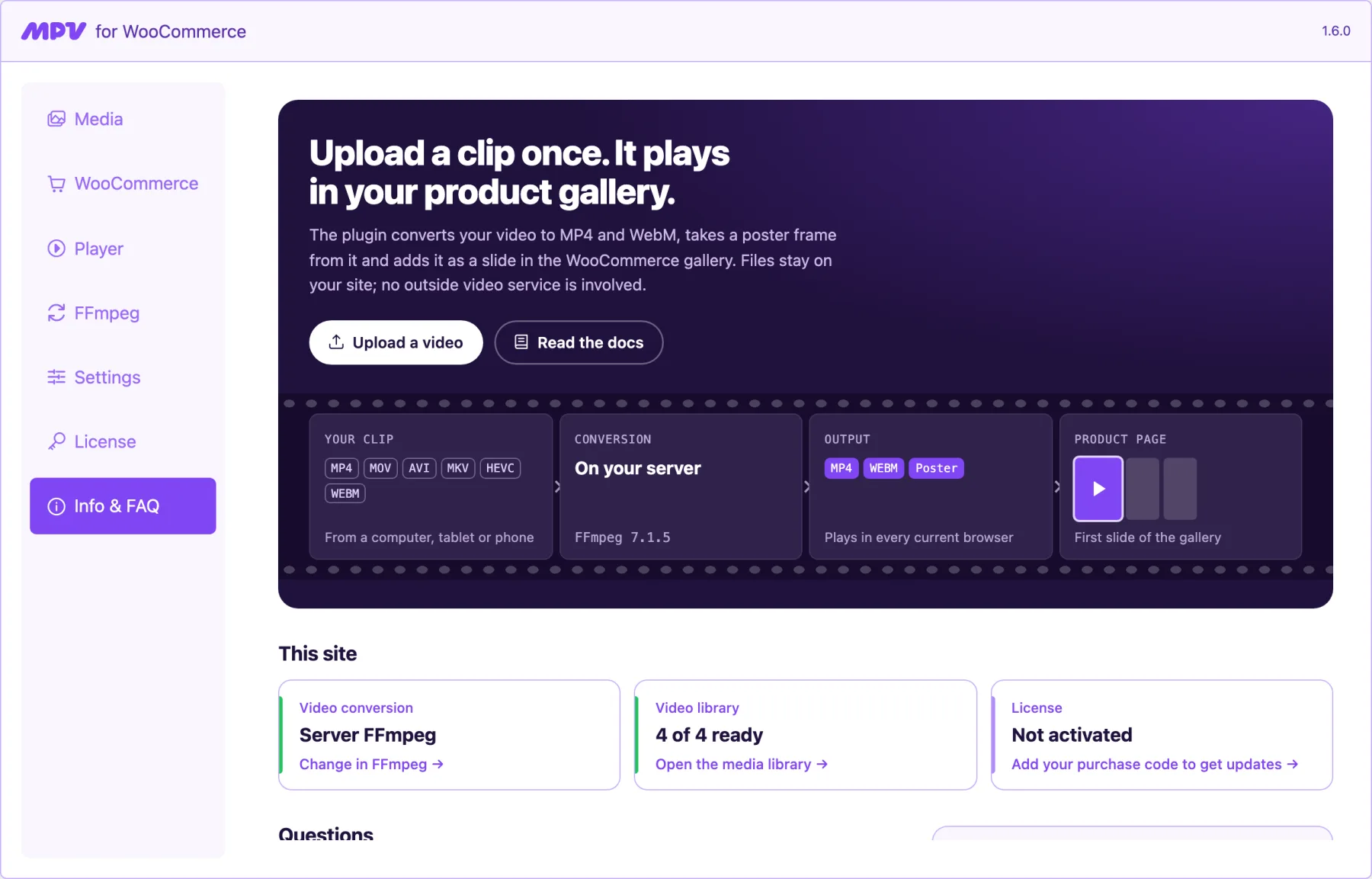
On the storefront
Clips in the shop grid, too.
Turn on video in product lists and each card plays its clip, muted, in the same frame as the photos. These are the four products of the demo store.
-
Shelter
MPV Airframe Tent
€489.00
-
Cooking
MPV Pocket Stove
€59.00
-
Packs
MPV Ridgeline 55 Backpack
€179.00
-
Sleep
MPV Cocoon Sleeping Bag
€139.00
On the demo store, a Try the settings panel lets you switch gallery position, autoplay, controls, fit and popup mode and see the result straight away.
Open the demo storeWhat you get
Everything in one license.
- Gallery
- Video slide in FlexSlider and PhotoSwipe, first or last
- Works with block (FSE) and classic themes
- Optional popup: a poster that opens the clip full screen
- Conversion
- Server FFmpeg or in-browser WebAssembly
- Background queue with progress and cancel
- Presets for codec, quality, size and audio
- Library
- A video library separate from the WordPress media grid
- Poster frame from any second of the clip
- Files stored on your site, in
uploads/mpvw-media
- Display
- Clips in the shop grid and category pages
- Shortcodes
[mpvw_video]and[mpvw_magic_video] - PHP helpers for custom templates
- Player
- video.js player: autoplay, loop, controls, fit
- Muted autoplay that mobile browsers allow
- Languages
- WPML: the video follows product translations, with the default language as fallback
- Admin in English and Ukrainian
- Updates
- Automatic updates after you add your CodeCanyon purchase code
- Support through CodeCanyon
Self-hosted, not embedded
Why not just paste a YouTube link?
An embed plays someone else's player inside your page. Here the file and the player are yours.
| Question | Magic Product Video | YouTube or Vimeo embed |
|---|---|---|
| Where the file lives | Your site's uploads folder | The video service's servers |
| What the shopper sees | Your clip in the gallery, no logo | The service's player, logo and suggested videos |
| Scripts on the page | video.js, served from your site | An iframe that loads the service's scripts |
| Cookies | None from the video | The service's tracking cookies |
| If the service is down | Not affected | The slide is empty |
For developers
Custom template? A shortcode or one function.
If your theme replaces the WooCommerce gallery, print the player yourself or take the file URLs and render them your way.
- Same files and player settings as the gallery
- Works for products, posts and pages
- PHP API and shortcodes in the docs
// Anywhere in content
[mpvw_video id="123"]

// In a template: the player, with your store settings
<?php mpvw_the_video( $product_id ); ?>

// Or just the data
$video = mpvw_get_product_video_data( $product_id );
// [
//   'mp4'          => '…/airframe-tent.mp4',
//   'webm'         => '…/airframe-tent.webm',
//   'thumbnail_id' => 128,
// ]
FAQ
Questions before you buy
My hosting has no FFmpeg. Will it work?
Yes. Set conversion to Browser in the FFmpeg settings: videos are converted in your browser with WebAssembly and the finished MP4 and WebM files are uploaded to your site. MP4 and WebM files you already have can be attached without any conversion.
Which video files can I upload?
Anything WordPress accepts. For conversion the plugin takes MP4, MOV, AVI, MKV, HEVC and WebM, and outputs MP4 (H.264 or H.265) and WebM (VP8, VP9 or AV1).
Will it work with my theme?
The video goes into the standard WooCommerce gallery, so most themes need nothing at all, and some need a few lines of CSS. If your theme replaces the gallery template, use mpvw_the_video() or the shortcode.
Where does the gallery preview come from?
The plugin takes a poster frame from the first second of the clip. Open the video in the library to take a frame from any other second.
Where are the files stored?
On your own site, in wp-content/uploads/mpvw-media/. Nothing is sent to an outside service, including when you convert in the browser.
How do updates work?
Add your CodeCanyon purchase code on the plugin's License screen. Updates then arrive in the WordPress dashboard like any other plugin.
What does it need to run?
WordPress 6.6 or newer, WooCommerce 9.6 or newer and PHP 7.4 or newer. FFmpeg on the server is optional.
Contact
Ask the author
Questions before buying, trouble with a store, a feature you are missing: the message goes straight to the developer of the plugin.
- contact@gorkovenko.net
- For support
- Add your purchase code and a link to the product page that misbehaves.
Put a clip in your first product gallery today.
Install the plugin, upload a video and attach it to a product. The rest happens on its own.
WooCommerce 9.6+ · WordPress 6.6+ · PHP 7.4+